🌐 中文 English
This article mainly introduces how to complete project import and JAR upload via IDEA and execute MapReduce tasks on Hadoop (requires a pre-written Java project and its corresponding JAR file).
Introduction
After starting the Hadoop cluster as previously described, we can begin writing MapReduce tasks. This article mainly explains how to import the project and required packages via IDEA, upload the JAR file to Linux, and execute MapReduce tasks on Hadoop.
Import Project Module and Required JAR Files
Import Project Module
Open IDEA as shown:
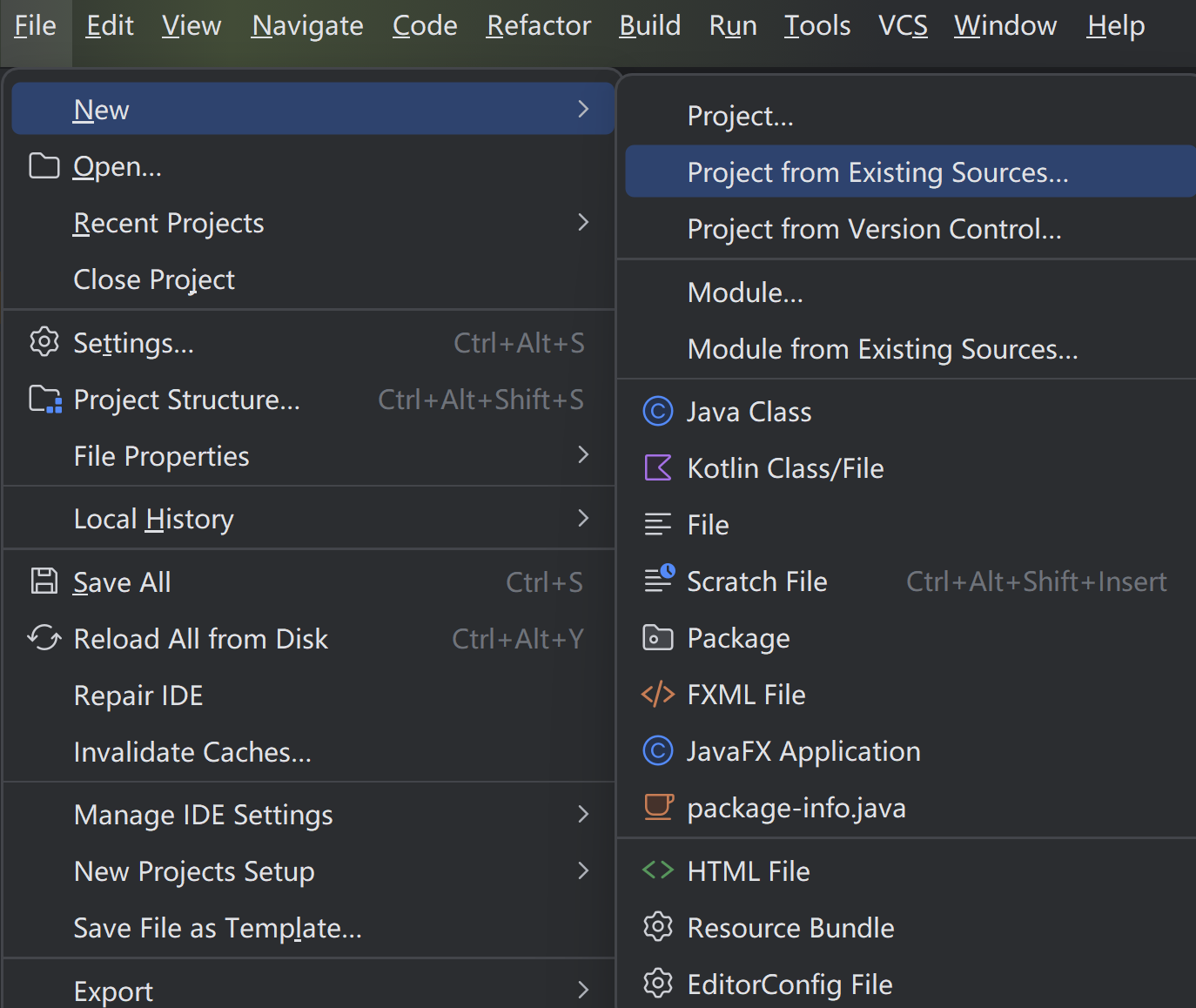 Click
Click File -> New -> Project from Existing Sources, select the directory of the pre-written Java project, proceed through the steps, set the JDK version to 1.8 (Java 8), rewrite the .iml and .idea files, and finally click Finish.
Import Required JAR Files
Click File -> Project Structure as shown:
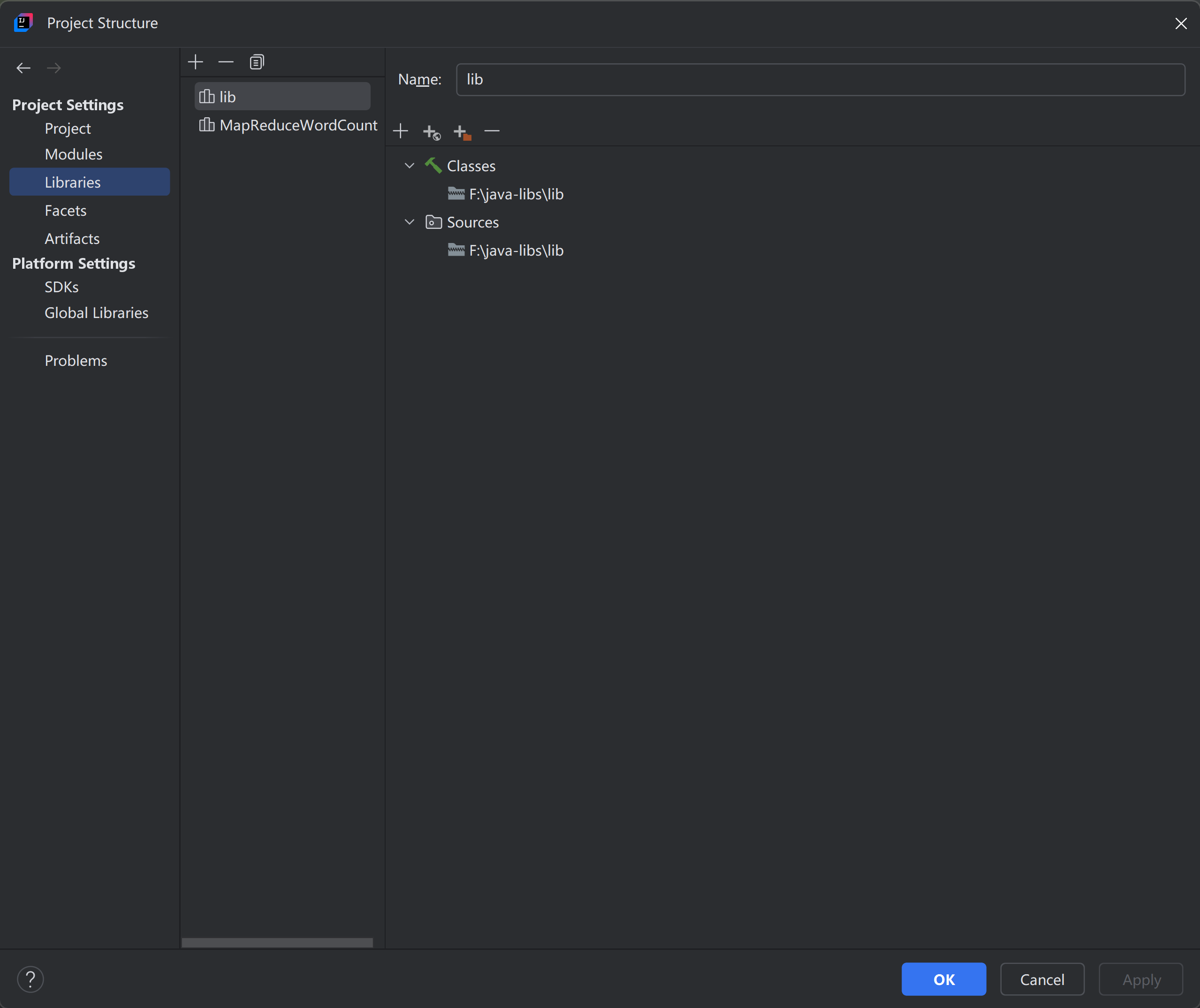 Click
Click Libraries -> + -> Java, select the required JAR files, and click OK.
Import Uploaded JAR Files into the Module
Click File -> Project Structure -> Modules -> Dependencies, click + -> Library, select the previously uploaded JAR files, and click OK.
Package the Project into a JAR File
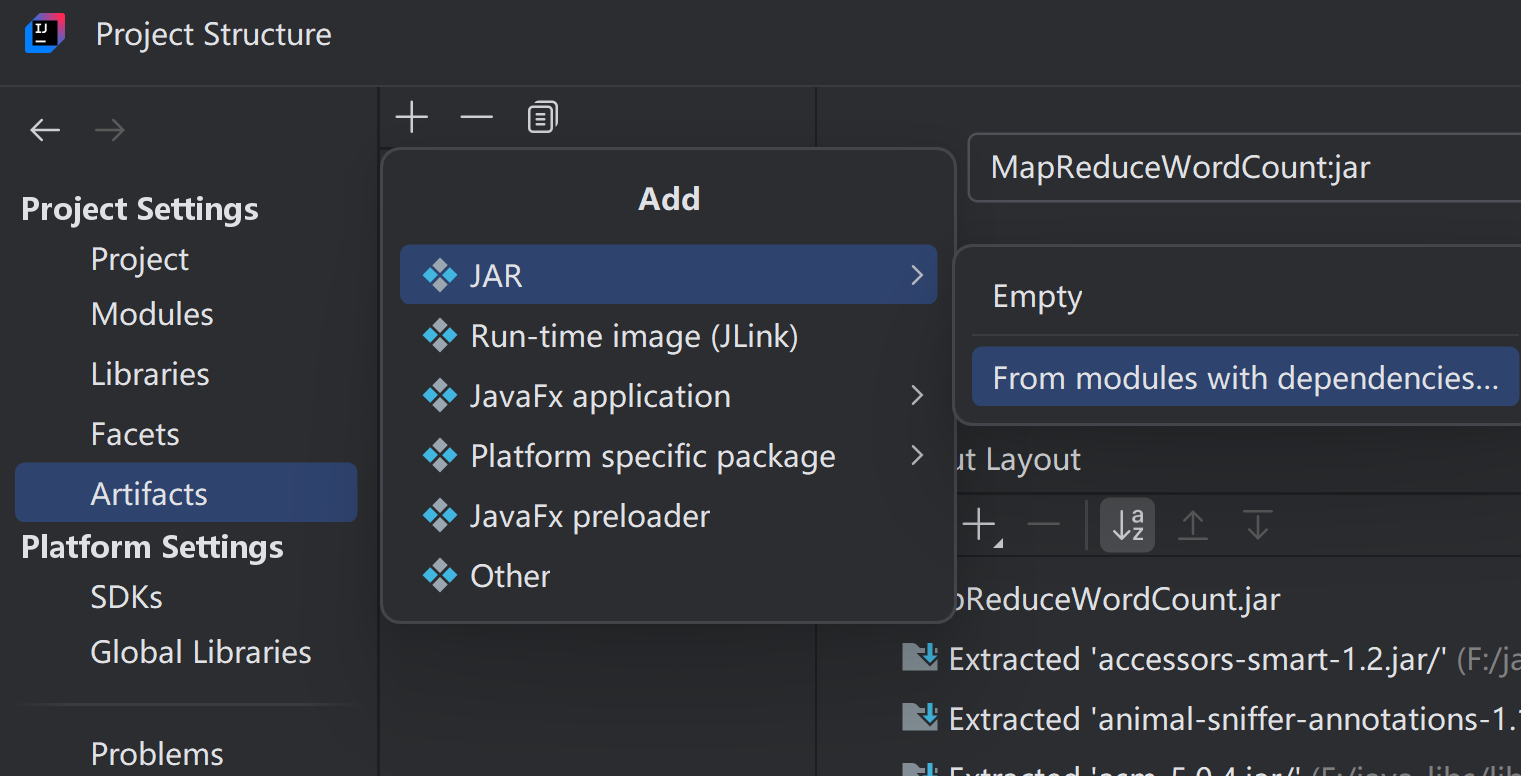 Click
Click File -> Project Structure -> Artifacts, click + -> JAR -> From modules with dependencies, select the previously imported Module and Main Class, click OK, then click Apply -> OK.
A JAR file will then be generated in the artifacts directory under the out folder. We can upload this JAR file to Linux via Xftp.
How to Execute the JAR File
First, upload the JAR file to Linux, then execute the following command on Linux:
1
hadoop jar /path/to/jarfile.jar /path/to/input/file /path/to/output
- Note: /path/to/jarfile.jar is the path to the JAR file, /path/to/input/file is the input file, and /path/to/output is the output file path. Modify these as needed.
View Output Results
Open the MapReduce WebUI to see the historical execution records of MapReduce tasks. This allows you to confirm whether the task executed successfully and view information such as execution time.
FAQ
Why is the /Path/to/input/file Not Being Read?
Both /input/file/file and /path/to/output are paths on HDFS. Therefore, you need to upload the file to HDFS first and then execute the command. The command is as follows:
1
hadoop fs -put /path/to/local/file path/to/input/file
- Note: /path/to/local/file is the path to the local file, and /path/to/input/file is the path on HDFS. Modify these as needed. If the path/to/input/file directory does not exist, you need to create it first with the following command:
1
hadoop fs -mkdir path/to/input/file
What to Do If the JAR File Is Not Generated or Accidentally Deleted?
Click Build -> Build Artifacts -> Rebuild to generate the JAR file.
